
Tools for
Teachers and tutors
Lesson plans, question papers, rubrics and report comments as drafts; marks, grades and certificates in a few clicks; timers and random pickers for the lesson itself.
24 tools · 18 free with no account · 6 free to try with one
A teacher’s evening goes on the same things every week: a lesson plan, a worksheet, a question paper with the marks adding up, comments for thirty report cards, and a message home. The school office has its own list — the timetable, the seating plan — and the tools for those are in the collection for schools. This page is for the person in front of the class.
The marks, grades, certificates, timers and pickers run in your browser, so a class list or a marks sheet never leaves your device. The writing tools are AI tools and say so on their pages: they send the topic and notes you give them to a model, never pupils’ names unless you type them, and they give you a structured draft to edit rather than a finished paper.
Planning
A draft to edit instead of a blank page.
Marks and reports
Totals, grades and comments for the whole class at once.
In the lesson
On the board, on the projector, in front of the class.
 QR Code GeneratorCreate QR codes for URLs, WiFi, contact cards, UPI and more. Custom shapes, colours and a logo, with a built-in scan check. Download as SVG or PNG.Free
Paper, certificates and letters home
Printed, named and signed.
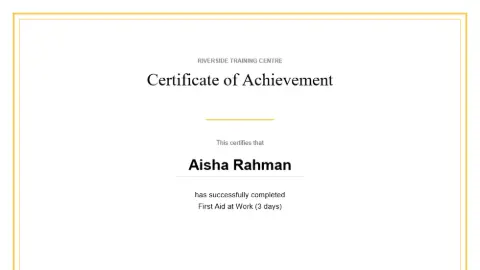 Certificate GeneratorCreate certificates of completion, achievement or attendance — one, or a batch from a name list.Free
 Printable Paper GeneratorGenerate graph, lined, dotted, isometric or music paper as a print-ready PDF.Free
 Text to PDF ConverterTurn plain text into a properly paginated PDF with margins, wrapping and page numbers.FreeLetter Mail Merge to PDFWrite one letter with {{Name}}-style placeholders, drop a spreadsheet of recipients, and download a PDF for each row — zipped, and as one combined file for printing. Runs in your browser; nothing is uploaded.FreeParent Communication WriterThe message home, written properly — absence, progress, behaviour, fees, trips, exams, closures — in the shape of the channel you are sending it on, and in a second language if the family reads one more easily.Free to try
 Auto Captions (offline)Add word-by-word animated captions to a video, free and offline. Whisper runs in your browser — nothing is uploaded. Edit the words, pick a style, export MP4 with sound, plus SRT and VTT.Free
Coming next for teachers and tutors
- Worksheet maker — Maths practice sheets with answer keys, printed as PDF.
- Random name picker — A class list in; a fair pick, without repeats, on the projector.
- Grade boundaries — Raw marks in; grades by your boundaries, with the distribution.
Want one of these first, or something else? Ask for it — no account needed, and the requests decide what gets built next.
Frequently asked questions
Do the AI tools see my pupils’ data?
Only what you type into them. A lesson plan or a question paper needs a topic, a class and a length, not a name. The report-comment writer works from the marks and notes you give it; use first names or initials if you can. Every AI page says what it sends before you press the button.
Can I make certificates for a whole class at once?
Yes. Paste or upload the list of names and the certificate generator makes one PDF with a page per pupil. It runs in your browser, so the class list stays on your device.
Are the question papers aligned to my board?
You give the board, the class, the chapters and the marks blueprint, and the draft follows them. Check every question and the answer key before it is printed — it is a first draft, and you are the examiner.