
Tools for
Job seekers
Check your CV against the job, make the photo and the PDF the form wants, and work out what the offer pays after tax — without signing up to anything.
27 tools · 25 free with no account · 2 free to try with one
Applying for jobs is mostly admin. The portal wants a photo of a certain size, the documents merged into one PDF under 2 MB, a signature on the form, and a CV that matches words in a job description nobody wrote clearly. Then an offer arrives as a CTC or a gross salary, and the number that matters — what lands in your account each month — is not in the letter.
Everything here except the CV screener runs in your browser: your passport photo, your certificates and your payslips stay on your own device. The CV screener is an AI tool and says so on its page: it sends the CV and the job description to a model, with personal details like your phone number and email masked on your device first.
The CV and the letter
Matched to the job, the right length, and read once more before it goes.
Photos the forms accept
Passport and profile photos at the size the portal asks for.
 Passport & ID Photo MakerCreate correctly sized passport and visa photos, laid out on a printable 4×6 sheet.Free
 AI Background RemoverRemove the background from any photo, or keep only the people, cars or sky. AI in your browser — nothing is uploaded. Transparent PNG or WebP, 20 at a time.Free
 Blur Background (Portrait Mode)Blur the background of a photo and keep the subject sharp: bokeh, motion streaks or zoom blur that grows with distance, like portrait mode. Nothing is uploaded.Free
 Circle Crop / Avatar MakerCrop an image into a circle or rounded square with a transparent background — ready for profile pictures.Free
 Image CompressorShrink JPEG, PNG and WebP files with a live quality preview and a before/after size comparison.Free
 Image CropperCrop an image by dragging a selection, with optional locked aspect ratios.Free
Documents
Certificates merged, signed and under the upload limit.
 Merge PDF FilesCombine several PDFs into one, in any order, without uploading anything.Free
 Image to PDF ConverterCombine JPEG and PNG images into a single PDF, one image per page, with page size and margin control.Free
 Add a Signature to a PDFDraw or type a signature onto a PDF and place it where you want. A visible signature, not a cryptographic one — the difference is explained below.Free
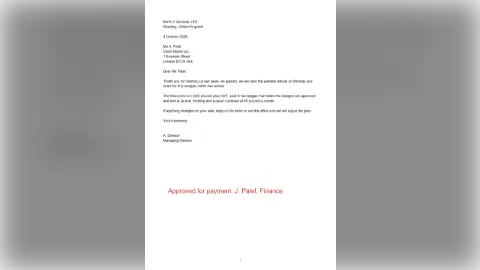 Add Text to a PDFPut text anywhere on a PDF — as many pieces as you like, on any pages, wrapped to a width. Click the page to place each one and see it land before you commit.Free
 Split PDFSplit one PDF into several files — by page count, by ranges, or one file per page.Free
 Organise PDF PagesSee page thumbnails and reorder, rotate or delete pages visually before saving.Free
The offer
What it pays in your hand, and how it compares.
Exams and scores
The conversions every application form asks for.
Coming next for job seekers
- CV builder — A clean, ATS-friendly CV as a PDF, built in the browser.
- Compress PDF — A document under the 1 or 2 MB limit job portals set.
- Salary hike calculator — Current and offered pay in; the real percentage rise out.
- Notice period calculator — Resignation date and notice in; last working day out.
Want one of these first, or something else? Ask for it — no account needed, and the requests decide what gets built next.
Frequently asked questions
Is my CV sent anywhere?
Only by the CV screener, which is an AI tool and says so at the top of its page. It masks your email, phone number and ID numbers on your device before anything is sent, shows you what will go, and nothing is stored after the answer comes back. Every other tool here runs entirely in your browser.
Will the passport photo be accepted?
The tool lays out the photo at the official size for the country you pick and prints it as a sheet. Acceptance still depends on the photo itself — lighting, expression, a plain background — so read the checklist on the page before you print, and check the authority’s current rules.
My offer letter gives a CTC. What will I actually get?
Use the CTC to take-home calculator for India, or the UK take-home pay calculator for a gross salary in the UK. Both show the deductions line by line, so you can see where the difference between the headline and your account goes.