
Tools for
Online sellers
White-background product photos, listings, margins after fees, GST, invoices and shipping labels — for Amazon, Flipkart, Meesho, Etsy, eBay and your own Shopify store.
27 tools · 20 free with no account · 7 free to try with one
A marketplace listing is judged on its first photo, and the first photo has rules: a clean background, the right size, under the upload limit. Then come the listing copy, the price that still leaves a margin once the platform has taken its cut, the tax on it, and the invoice and the label for every order. A small seller does all of it, usually at night, usually with a different paid app for each step.
Here the photo work happens in your browser. A product shot is cut out, cleaned up and resized on your own machine — forty at a time if you want — so an unreleased product never sits on somebody else’s server. The margin, GST and invoice tools are the same: figures in, answer out, nothing stored. The listing and reply writers are AI tools that send your text to a model and say so first.
Product photos
The first image is the listing. Make it clean, sharp and the right size.
 AI Background RemoverRemove the background from any photo, or keep only the people, cars or sky. AI in your browser — nothing is uploaded. Transparent PNG or WebP, 20 at a time.FreeBackground RemoverRemove a plain background from product photos and logos instantly, by colour, in your browser.Free
 Object & People RemoverBrush over a person, car, bin or cable and it is gone, filled in by AI running in your browser — nothing is uploaded. One tap removes every person in the shot.Free
 AI Image UpscalerUpscale a photo 2× or 4×, or unblur it at its own size, with Real-ESRGAN running in your browser. Nothing is uploaded. Before/after slider; PNG, JPEG or WebP.Free
 Bulk Image ResizerResize dozens of images at once to a fixed width, height or percentage, and download them as a ZIP.Free
 Image CompressorShrink JPEG, PNG and WebP files with a live quality preview and a before/after size comparison.Free
 Image Format ConverterConvert between PNG, JPEG and WebP in your browser. No upload, no queue, no watermark.Free
Listings and the words around them
Titles, bullets, ads and replies, as drafts in your own words.
 Social Media Image ResizerProduce correctly sized images for Instagram, Facebook, X, LinkedIn, YouTube and more in one pass.Free
Price, margin and tax
What a sale actually leaves you with.
Orders and paperwork
The invoice, the label and the slip that go out with the parcel.
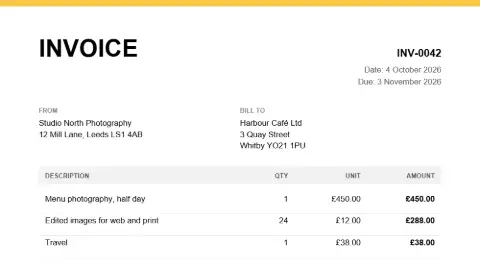 Invoice Generator (PDF)Create a clean, professional invoice PDF with line items, tax and totals calculated for you.Free
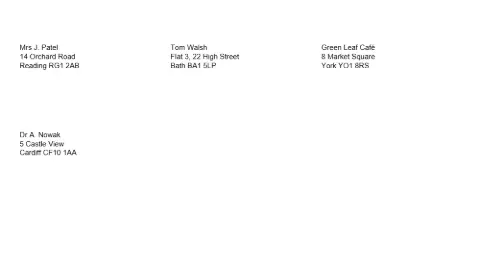 Label Sheet GeneratorPrint address or product labels on standard sheet layouts, with data from a list.Free
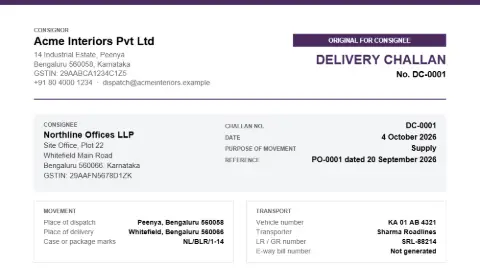 Delivery Challan & Packing List Generator (PDF)Create the document that travels with the goods: consignor and consignee, purpose of movement, vehicle and transporter details, items with weights and package counts, and an acknowledgement for the receiver to sign — printed as Original, Duplicate and Triplicate copies.FreeE-Invoice JSON Generator (IRP schema)Turn a spreadsheet of invoices into the JSON the GST e-invoice portal accepts — schema 1.1, one file for bulk upload — with GSTINs, PINs, HSN codes and the CGST/SGST or IGST split checked before you upload. Runs in your browser; nothing is uploaded here.FreeBulk QR Code GeneratorTurn a list or a CSV into hundreds of QR codes at once, all sharing one look: shapes, colours, gradient, logo and error correction. Every code is scanned back before you download the batch as PNG or SVG.FreeExpense Receipts to SpreadsheetPhotograph up to four expense receipts at a time and get one row per receipt — date, merchant, category, amount, tax, currency and how it was paid — as a CSV or Excel file for the expense claim or the books.Free to tryBookkeeping: Trial Balance, P&L and Balance SheetBring a bank statement, a sales day book or a set of journals into a real double-entry ledger and get the trial balance, profit and loss, balance sheet, VAT or GST figures and every account’s ledger back. Charts of accounts for the UK and India. Runs in your browser — a client’s books are never uploaded.Free
Coming next for online sellers
- Marketplace fee and profit calculator — Amazon, Flipkart, Meesho, Etsy and eBay fee structures, each with the date it was checked.
- Volumetric weight calculator — Box dimensions in; the weight couriers charge for out.
- Barcode generator — EAN-13 and Code 128 labels for your stock, printed as a sheet.
- Image watermark — Your logo on a batch of product photos before they go to a reseller.
Want one of these first, or something else? Ask for it — no account needed, and the requests decide what gets built next.
Frequently asked questions
Will the background remover give me the white background marketplaces ask for?
Yes. Cut the product out, then export it on white, or as a transparent PNG to place on any colour. Amazon and Flipkart both ask for a pure white main image; check the current pixel and size rules in your seller dashboard, because they change, and use the resizer to hit them.
Does the margin calculator know each marketplace’s fees?
Not by name — fee tables change often and differ by category, and a stale table would be worse than none. Enter the fee as a percentage or an amount and the calculator gives you the margin and markup after it. Your seller dashboard has the current figure.
Are my product photos uploaded?
No. The image tools are canvas and on-device AI operations in your own browser, so a product that has not launched yet can go through them. The AI writing tools are the exception and say so: they send your text to a model.